
 我的书签
 添加书签
 移除书签
Sentinel·续
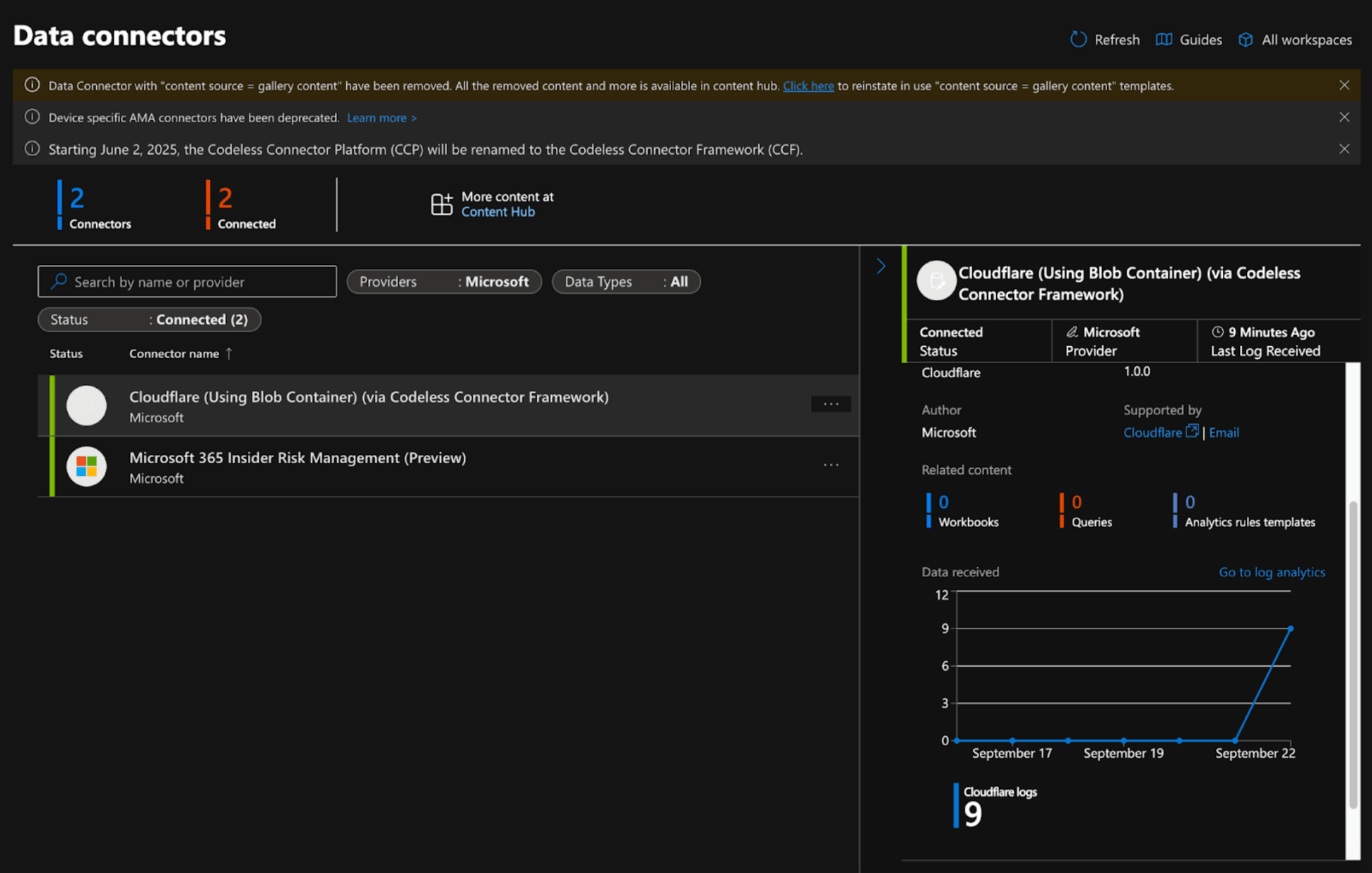
Select Connect to start the deployment. When the deployment completes, the Azure portal shows a Deployment succeeded notification and the button changes to Disconnect.

Step 5: Verify log ingestion
- In the Azure portal, open the Log Analytics workspace backing your Sentinel instance.
- In the left navigation pane, select Logs.
- Enter the following query in the editor and select Run:
CloudflareV2_CL
| take 10
```
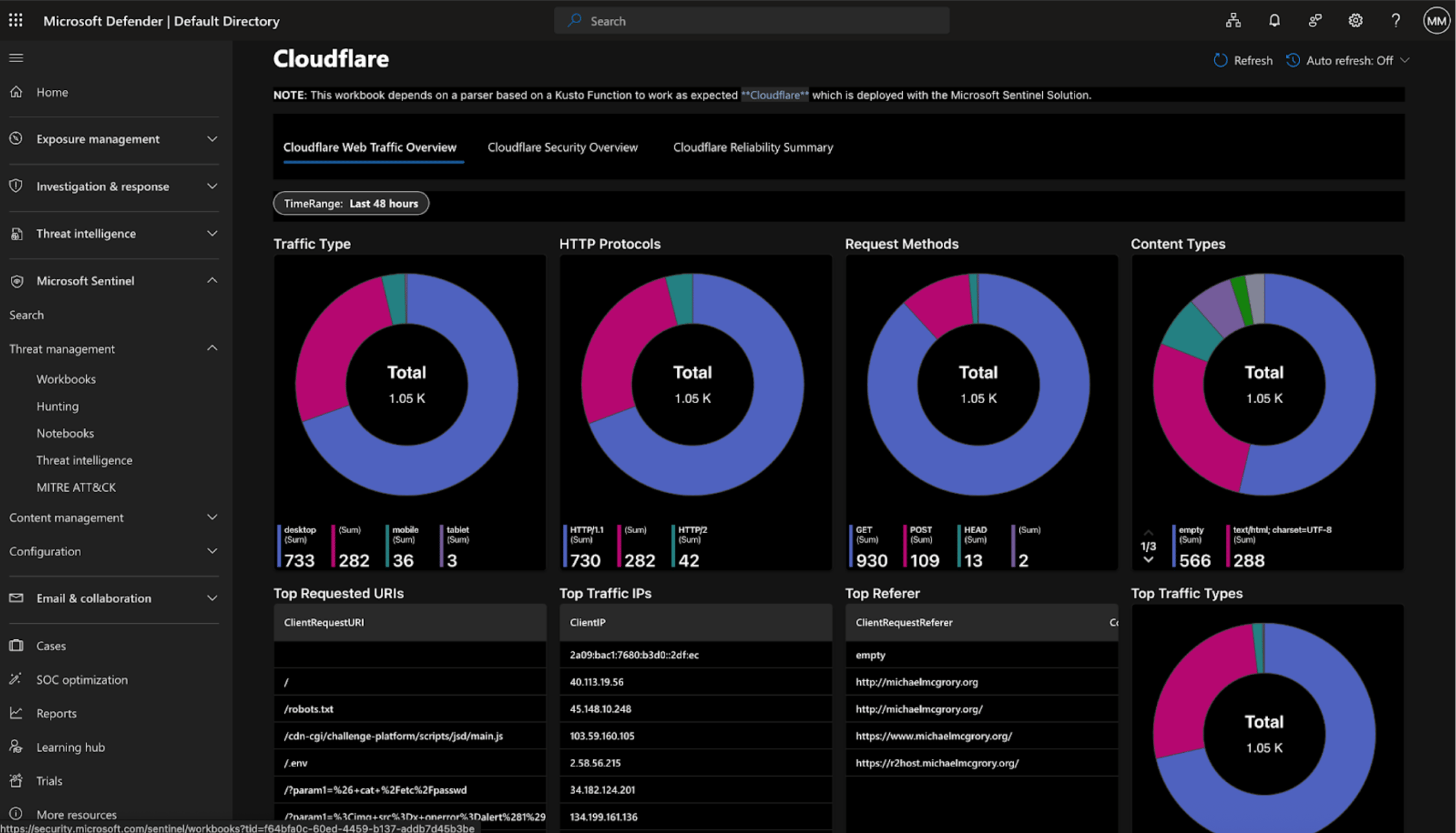
4. Confirm that Cloudflare log records are returned.
Note
Data usually starts appearing in the workspace within 20 to 30 minutes of the connector reporting a successful deployment. If logs do not appear after that window, review your storage account permissions, Cloudflare Logpush configuration, Event Grid subscription, and Sentinel connector settings.
## Troubleshooting
### `CreateDataFlowResources` deployment error
The ARM template deployment fails with an error similar to:
```txt
InvalidTemplate: Deployment template validation failed:
'The resource 'Microsoft.Resources/deployments/CreateDataFlowResources' is not defined in the template.'
The CCF connector's ARM template operates within a single resource group scope and cross-references the storage account, Blob container, Event Grid system topic, Storage Queue, Data Collection Rule (DCR), Data Collection Endpoint (DCE), and Microsoft Sentinel workspace as co-located resources. If any of those resources live outside the deployment scope, the template cannot resolve the references and validation fails before anything is created.
To resolve the error:
- Verify co-location: in the Azure portal, open both the storage account and the Microsoft Sentinel workspace (or its underlying Log Analytics workspace) and confirm that Resource group and Subscription match on the Overview blade. If they differ, move the storage account into the resource group that hosts Sentinel, or create a new storage account in that resource group.
- Verify network access: confirm that public network access is enabled on the storage account, or that a Network Security Perimeter is configured as described in Prerequisites. Selected network limits using IPv4 CIDR addresses are not supported.
- Retry the deployment: after you align the resources, re-run the ARM template deployment. The
CreateDataFlowResourceserror should not recur.
For the full list of storage-related failure modes and mitigations, refer to Microsoft's Azure Storage Blob connector troubleshooting guide ↗︎.
Supported Logs
We support the following fields to be utilized within the Sentinel Connectors (CCF & Function based). You can push all log fields to Azure using our logpush function as described in Enable Microsoft Azure documentation.
The CCF connector normalizes Cloudflare log fields to the Microsoft Sentinel ASIM schema ↗︎ where a canonical equivalent exists (for example, ClientIP becomes SrcIpAddr, EdgeResponseStatus becomes HttpStatusCode), and preserves Cloudflare-native names for fields that do not have a schema equivalent. Use the field names in the following tables in your KQL queries against the connector's output table.
<details>
<summary>
Parser fields
</summary>
Application<br> BotScore<br> BotScoreSrc<br> CacheCacheStatus<br> CacheResponseBytes<br> CacheResponseStatus<br> CacheTieredFill<br> ClientASN<br> ClientASNDescription<br> ClientDeviceType<br> ClientIPClass<br> ClientMatchedIpFirewall<br> ClientRefererHost<br> ClientRefererPath<br> ClientRefererQuery<br> ClientRefererScheme<br> ClientRequestPath<br> ClientRequestProtocol<br> ClientRequestQuery<br> ClientRequestScheme<br> ClientRequestURI<br> ClientTcpRtt<br> ClientTlsClientHelloServerName<br> ClientTlsStatus<br> ClientXRequestedWith<br> ColoCode<br> ConnectTimestamp<br> Datetime<br> DisconnectTimestamp<br> DstBytes<br> DstIpAddr<br> DstPortNumber<br> DvcAction<br> EdgeColoCode<br> EdgeColoID<br> EdgeEndTimestamp<br> EdgePathingOp<br> EdgePathingSrc<br> EdgePathingStatus<br> EdgeRateLimitAction<br> EdgeRateLimitID<br> EdgeRequestHost<br> EdgeResponseCompressionRatio<br> EdgeResponseStatus<br> EdgeServerIP<br> EdgeStartTimestamp<br> EventResult<br> EventSubType<br> FirewallMatchesSources<br> HttpContentType<br> HttpReferrerOriginal<br> HttpRequestHeaderHost<br> HttpRequestMethod<br> HttpStatusCode<br> HttpUserAgentOriginal<br> IpFirewall<br> MatchIndex<br> NetworkProtocol<br> NetworkRuleName<br> OriginProto<br> OriginResponseBytes<br> OriginResponseHTTPExpires<br> OriginResponseHTTPLastModified<br> OriginResponseTime<br> OriginSSLProtocol<br> OriginTcpRtt<br> OriginTlsCipher<br> OriginTlsFingerprint<br> OriginTlsMode<br> OriginTlsProtocol<br> OriginTlsStatus<br> OriginatorRayID<br> ParentRayID<br> ProxyProtocol<br> RayID<br> SecurityLevel<br> SrcBytes<br> SrcGeoCountry<br> SrcIpAddr<br> SrcPortNumber<br> TimeGenerated<br> Timestamp<br> TlsCipher<br> TlsVersion<br> WAFAction<br> WAFFlags<br> WAFMatchedVar<br> WAFProfile<br> WAFRuleID<br> WAFRuleMessage<br> WorkerCPUTime<br> WorkerStatus<br> WorkerSubrequest<br> WorkerSubrequestCount<br> ZoneID<br>
</details>
<details>
<summary>
Workbook fields
</summary>
ClientDeviceType<br> SrcIpAddr<br> ClientIPClass<br> ClientRequestProtocol<br> ClientRequestReferer<br> ClientRequestURI<br> ClientRequestUserAgent<br> EdgePathingOp<br> EdgePathingSrc<br> EdgePathingStatus<br> EdgeResponseContentType<br> HttpRequestMethod<br> HttpStatusCode<br> TimeGenerated<br> threat<br>
</details>
<details>
<summary>
Analytic rules
</summary>
ClientIPClass<br> ClientRequestURI<br> DstBytes<br> HttpRequestMethod<br> HttpStatusCode<br> HttpUserAgentOriginal<br> SrcBytes<br> SrcGeoCountry<br> SrcIpAddr<br> TimeGenerated<br> WAFAction<br> WAFRuleID<br> WAFRuleMessage<br>
</details>
<details>
<summary>
Hunting queries
</summary>
ClientRequestURI<br> ClientTlsStatus<br> EdgeRequestHost<br> EdgeResponseStatus<br> HttpStatusCode<br> HttpUserAgentOriginal<br> NetworkRuleName<br> OriginTlsStatus<br> SrcGeoCountry<br> SrcIpAddr<br> TimeGenerated<br>
</details>
Resources
Download Cloudflare's CCF Sentinel Solution ↗︎
Microsoft Data Lake Overview ↗︎
About the CCF Platform ↗︎
Was this helpful?
YesNo
On this page
{"@context":"https://schema.org","@type":"TechArticle","@id":"https://developers.cloudflare.com/analytics/analytics-integrations/sentinel/#page","headline":"Sentinel","description":"Ingest Cloudflare logs into Microsoft Sentinel.","url":"https://developers.cloudflare.com/analytics/analytics-integrations/sentinel/","inLanguage":"en","image":"https://developers.cloudflare.com/analytics/analytics-integrations/sentinel/og.png?v=dfafeceeae956e41","dateModified":"2026-10-12","publisher":{"@type":"Organization","name":"Cloudflare","description":"One platform for your apps, agents, and workforce. Build, secure, and scale without managing infrastructure","url":"https://www.cloudflare.com/","sameAs":["https://github.com/cloudflare","https://www.linkedin.com/company/cloudflare","https://x.com/cloudflare"],"logo":{"@type":"ImageObject","url":"https://developers.cloudflare.com/logo.svg"},"address":{"@type":"PostalAddress","streetAddress":"101 Townsend St","addressLocality":"San Francisco","addressRegion":"CA","postalCode":"94107","addressCountry":"US"},"contactPoint":[{"@type":"ContactPoint","contactType":"Customer Support","url":"https://support.cloudflare.com/","availableLanguage":["English"]},{"@type":"ContactPoint","contactType":"Sales","url":"https://www.cloudflare.com/contact/","availableLanguage":["English"]}]},"isPartOf":{"@type":"WebSite","@id":"https://developers.cloudflare.com/#website","name":"Cloudflare Docs","url":"https://developers.cloudflare.com/"}}
description: Resolve common issues when integrating Cloudflare with Microsoft Sentinel. title: Troubleshooting image: https://developers.cloudflare.com/analytics/analytics-integrations/sentinel/troubleshooting/og.png?v=a82f5705220ea820
Documentation Index
Fetch the complete documentation index at: https://developers.cloudflare.com/analytics/llms.txt
Use this file to discover all available pages before exploring further.

